


4L App-Control Evaporative Humidifier: Smarter Comfort
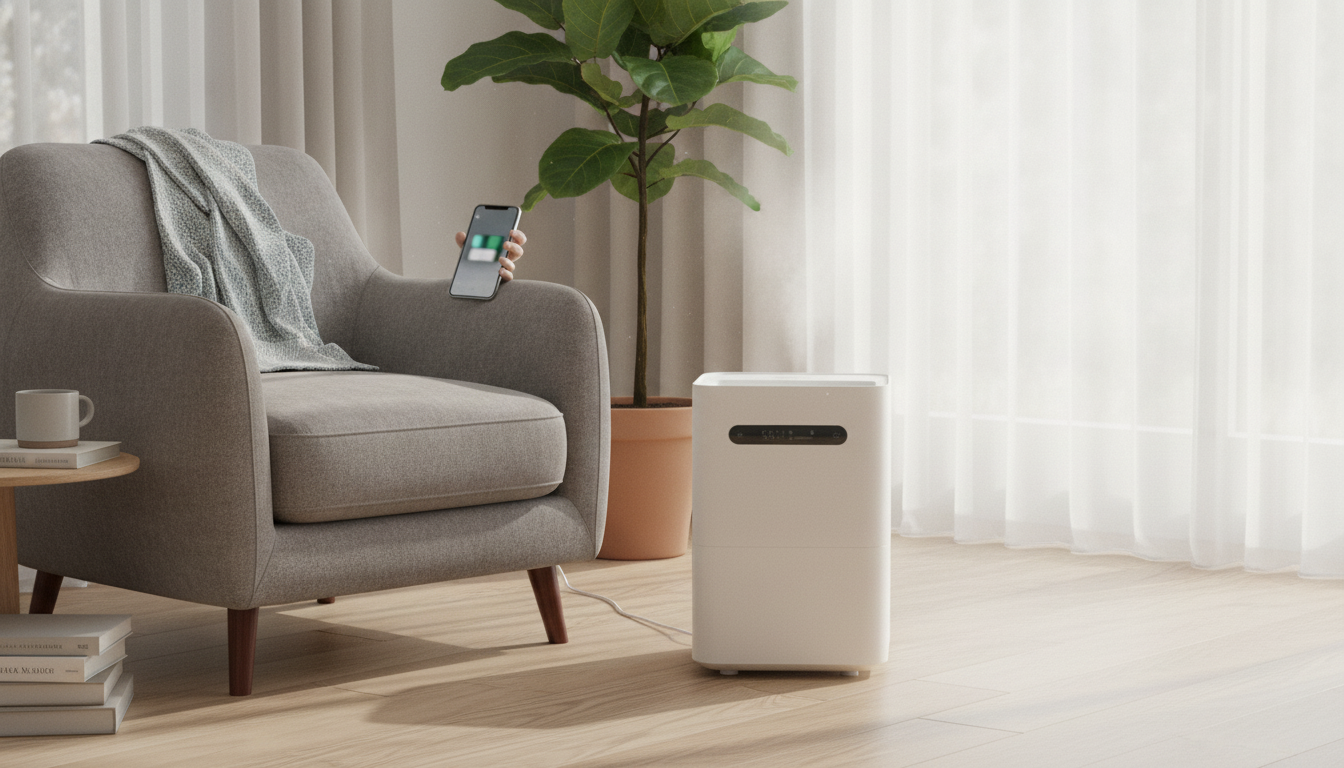
Advanced 4L Evaporative Humidifier with App Control
Balanced indoor humidity can ease dryness in airways and skin, help protect wood furnishings, and improve overall comfort—especially during heating season. An evaporative humidifier that pairs with an app adds convenient scheduling, monitoring, and control, helping maintain a steadier humidity level with less guesswork.
What an evaporative humidifier does differently
Evaporative humidifiers add moisture in a straightforward, “as-needed” way. Instead of spraying a visible plume, they rely on airflow and natural evaporation—often a better match for everyday living spaces where you want comfort without damp surfaces.
- Uses a fan to move air through a moistened wick/filter so water evaporates naturally into the room air.
- Humidity output is self-regulating to a degree: as the room air becomes more humid, evaporation slows.
- Produces no visible mist, which can be preferable for placement near electronics or artwork.
App control: practical ways it improves daily use
App control isn’t just a novelty—it can make humidity management more consistent, particularly when your schedule changes or the weather swings. Instead of walking over to the unit multiple times a day, small adjustments can happen from the couch, the office, or bed.
- Remote power, mode, and target settings help adjust comfort without walking to the unit.
- Scheduling supports automatic changes for day/night routines or when the home is occupied.
- Status monitoring can reduce overfilling or running dry by providing a quick check from a phone.
- Some setups benefit from automation (timers, reminders, or routine-based control) to keep humidity more consistent.
| Control option | What it helps with | Best use case |
|---|---|---|
| On/off from app | Convenience and energy management | Turning the unit on before bedtime or after returning home |
| Target humidity / auto mode | More stable comfort range | Bedrooms, nurseries, and living rooms with fluctuating HVAC |
| Schedules | Set-and-forget routines | Overnight comfort and morning shutoff |
| Alerts / indicators | Maintenance consistency | Remembering filter checks and refills |
Why a 4L tank capacity matters
Tank size often determines how “hands-off” a humidifier feels. A larger reservoir doesn’t automatically mean higher humidity, but it can mean fewer interruptions—especially useful overnight or during a long workday.
- Larger capacity typically means longer runtime between refills, depending on room conditions and fan setting.
- Fewer refills can support more consistent humidity overnight or during a workday.
- Helps reduce frequent handling, which can lower the chance of spills during refilling.
Comfort and health: choosing a sensible humidity range
Humidity is a “Goldilocks” variable: too little can feel harsh, too much can create problems you don’t want. A commonly cited comfort range is around 30–50% relative humidity, with practical tweaks based on season and local climate.
- A commonly recommended indoor range is around 30–50% relative humidity, adjusted for climate and season.
- Too-low humidity can aggravate dry skin, scratchy throat, and static; too-high humidity can encourage condensation and mold growth.
- Use a hygrometer (or built-in readings, when available) to verify humidity where people spend time, not just near the humidifier.
For deeper guidance on moisture control and mold prevention, review the EPA’s resources on moisture and mold prevention and basics from the CDC: EPA: Mold and CDC: Mold FAQs. Comfort standards are also discussed in ASHRAE Standard 55.
Placement tips for even humidity
Placement affects both performance and peace of mind. Give the unit room to breathe, avoid trapping airflow, and think about where humidity readings will be most representative of the space.
- Place on a stable, water-resistant surface with space around the air intake and exhaust for airflow.
- Keep a bit of distance from walls, curtains, and upholstered furniture to reduce the chance of damp spots.
- For bedrooms, position away from direct line-of-sight to the bed if fan noise is a concern, while still allowing good circulation.
- Avoid putting directly under shelves or near sensitive electronics if there is any risk of drips during refilling.
Setup and day-to-day operation
A smooth first setup helps prevent most “why isn’t it working?” moments later. Treat the first fill like a quick system check: water in, wick seated correctly, airflow unobstructed, and app paired reliably.
Cleaning and filter care to keep output steady
Noise, energy use, and overnight comfort
When an evaporative model is a better fit than other types
| Type | How it adds moisture | Typical tradeoffs |
|---|---|---|
| Evaporative | Fan evaporates water through a wick/filter | Filter maintenance; fan noise varies by speed |
| Ultrasonic | Vibrations create a fine mist | May disperse minerals if using hard water; visible mist |
| Warm mist / steam | Heats water to create steam | Higher energy use; hot surfaces; more caution around children |
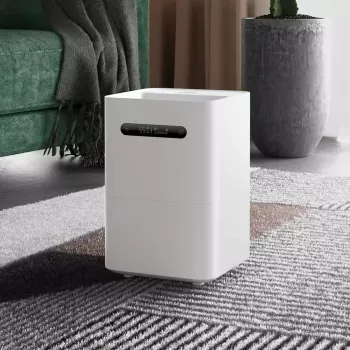
Product snapshot: Advanced 4L Evaporative Humidifier with App Control
If the goal is comfortable humidity with fewer manual check-ins, Advanced 4L Evaporative Humidifier with App Control combines evaporative performance with app-based convenience.
To round out an indoor-comfort setup, consider home upgrades that support daily routines, like a dedicated workspace surface such as the Modern Chrome Writing Desk for Home Office, or bathroom refresh options like the Ceramic Vessel Sink with Peony Flower Design.
FAQ
What humidity level should be set for sleeping?
Aim for a comfortable range that often falls around 30–50% relative humidity. Adjust lower if windows show condensation, and verify with a hygrometer near the bed rather than right next to the humidifier.
Do evaporative humidifiers need a filter change?
Many use a wick/filter that gradually accumulates minerals and can restrict airflow. Replace it when performance drops, odors appear, or the filter shows heavy scaling/discoloration, following the unit’s care guidance.
Why does the humidifier seem to output less over time?
Common causes include a mineral-loaded wick/filter, airflow blockage from dust, or rising room humidity that slows natural evaporation. Cleaning, filter inspection, and confirming room RH can identify the cause.












Leave a comment