


61-Inch Industrial Computer Desk for Spacious Work Setup
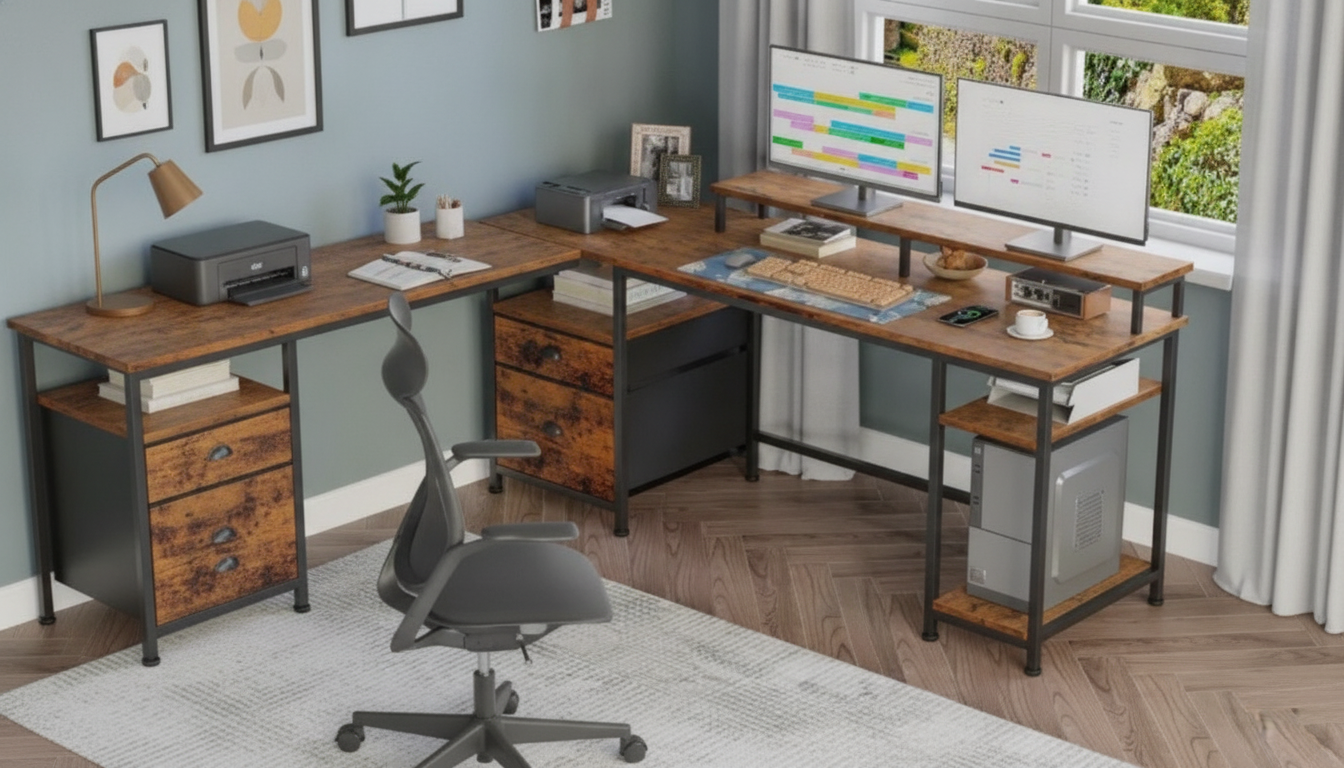
61″ Spacious Industrial-Style Computer Desk: A Clean, Roomy Worksurface With Industrial Character
A generous desktop can make work feel simpler: more room for a monitor, a laptop, notebooks, and the small essentials that usually end up piled in the corner. This 61-inch industrial-style computer desk is designed to bring that extra breathing room while keeping a straightforward, sturdy look that fits home offices, studios, and multipurpose rooms.
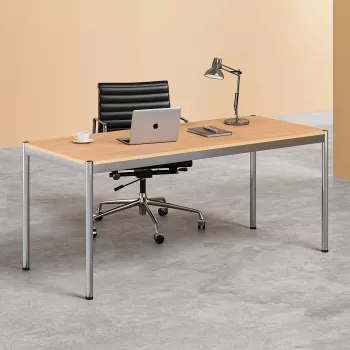
If you’re shopping for a wide, grounded workstation, start with the 61″ Spacious Industrial-Style Computer Desk, and consider a sleeker alternative like the Modern Chrome Writing Desk for Home Office if you prefer a brighter, more modern finish.
What Stands Out About a 61-Inch Industrial Desk
A 61-inch surface hits a sweet spot: it’s wide enough to feel expansive, but still practical in many bedrooms, living-room corners, and dedicated offices. Industrial styling adds visual structure without demanding a lot of decor around it.
- Room to spread out: suitable for dual-monitor setups or a monitor + laptop arrangement with writing space left over.
- Industrial styling: a practical, no-fuss look that pairs well with metal shelving, neutral walls, and warm wood accents.
- Everyday versatility: works as a computer desk, writing table, study station, or light crafting surface.
- Helps reduce clutter: a wider surface can keep frequently used items within reach without stacking.
Size, Layout, and Fit in Real Rooms
Before committing to a wider desk, think beyond “does it fit against the wall?” and plan for how it’s used day-to-day. A comfortable chair slide, a clear walkway, and sensible cable routes can matter as much as the desk’s width.
- Measure the wall and walking clearance: allow comfortable chair movement and legroom.
- Plan for monitor distance and keyboard placement: aim to have your main screen directly in front of where you sit.
- Consider nearby outlets: avoid running cords across a path where feet (or a vacuum) will snag them.
- If the desk faces into the room: confirm the back side can look tidy with cable management.
Quick Fit Checklist for a 61-Inch Desk
| Item to measure | Recommended planning note |
|---|---|
| Desk width | Confirm the full span fits the wall with a little breathing room on both sides. |
| Desk depth | Leave enough space for monitor stand + keyboard while keeping wrists neutral. |
| Chair clearance | Ensure the chair can slide back without hitting a bed, sofa, or cabinet. |
| Walkway space | Keep a comfortable path behind the chair for getting in and out. |
| Outlet access | Plan where a power strip and chargers will live to avoid dangling cords. |
Materials, Stability, and Daily Durability
Industrial-style desks are often chosen for their “built-to-work” vibe—clean lines, solid stance, and finishes that don’t feel precious. For everyday use, the goal is a stable surface that doesn’t wobble while typing, writing, or leaning in during focused work.
- Look for a rigid frame: a desk should resist flexing when you type quickly or rest your forearms on the front edge.
- Choose a wipe-friendly top: a wood-look finish that cleans easily helps keep coffee rings, dust, and fingerprints from becoming permanent.
- Stability basics: level the feet (if adjustable), avoid uneven rugs, and tighten hardware after initial settling.
- Weight distribution: if you use heavier gear (multiple monitors, speakers), place the heaviest items closer to the center to reduce sway.
Comfort Setup: Monitor Height, Keyboard Position, and Chair Pairing
Even a great-looking desk can feel “off” if the screen is too low, the keyboard is too far away, or the chair height forces you to hunch. Small adjustments can make long sessions noticeably easier.
For additional workstation guidance, see the OSHA Computer Workstations eTool and Cornell’s Ergonomics Web for practical setup principles you can apply to nearly any desk.
Styling Ideas: Making Industrial Look Intentional
Care, Maintenance, and Long-Term Use
When This Desk Makes Sense (and When Another Style Might)
- Good fit if: a wider work area is needed for multiple screens, paperwork, or creative projects.
- Good fit if: a straightforward industrial look matches existing shelving, lighting, or hardware finishes.
- Consider a different style if: a very minimal, ultra-light look is preferred or if a smaller footprint is required.
- Alternative option: for a brighter, sleeker aesthetic, the Modern Chrome Writing Desk for Home Office can shift the room toward a more modern feel.
For an expansive, practical surface with industrial character, explore the 61″ Spacious Industrial-Style Computer Desk as a core workstation that can handle daily computing, planning, and projects without feeling cramped.
FAQ
Is a 61-inch desk wide enough for two monitors?
Often, yes—many dual-monitor setups fit comfortably on 61 inches, especially with thin-bezel displays. A monitor arm can reclaim extra surface space and makes it easier to center the primary screen while leaving room for a keyboard, mouse, and a notepad.
How can cable clutter be kept under control on an open desk?
Use adhesive cable clips along the rear edge, mount a power strip under the desktop, and add a cable tray to bundle excess length. Labeling chargers and leaving just a small amount of slack near devices helps prevent tangles when you reposition equipment.
What should be checked after assembling a large desk to keep it stable?
Level the feet if the desk has adjusters, and re-tighten fasteners after 24–48 hours as parts settle. If there’s any rocking on an uneven floor, reposition the desk or add a stabilizing solution, and keep heavier gear closer to the center.













Leave a comment