


Design Your Home Interior Online Free: Simple 5-Step Plan
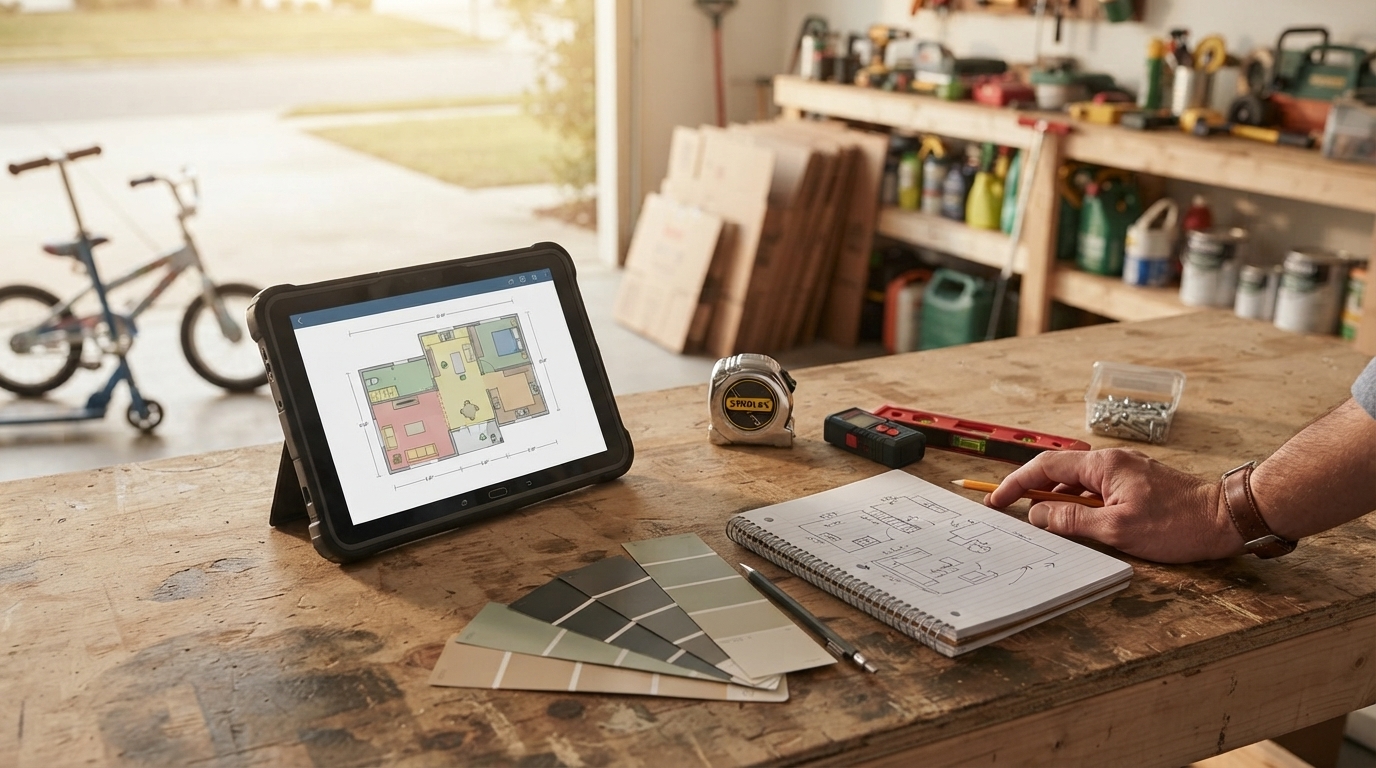
How to design home interior online for free
Designing your home interior online for free is doable with a mix of room-planning tools, paint visualizers, and a simple process for testing layouts before you buy anything. The key is to start with accurate measurements, choose a workable layout, then refine finishes and furniture piece by piece so the room stays functional and cohesive.
1) Measure and map the room
Grab a tape measure (or your phone’s measuring app) and note wall lengths, ceiling height, door swings, window sizes, and fixed elements like radiators or built-ins. Then recreate the space in a free online room planner so you’re not guessing scale.
2) Build a layout first (before colors and decor)
Place the largest items—sofa, bed, dining table—first. Keep walkways clear (often 30–36 inches in high-traffic paths) and make sure doors and drawers can open fully. Save a couple layout versions so you can compare.
3) Try paint and materials with free visualizers
Many paint brands offer free color visualizers that let you upload a photo and “paint” the walls digitally. Use this step to narrow down undertones and contrast levels, then pair a simple flooring and textile palette to avoid visual clutter.
4) Create a quick mood board and shopping shortlist
Use a free mood board tool (or a simple collage) to collect 10–20 references that match the vibe you want. Pull repeating elements—wood tone, metal finish, rug pattern, or silhouette—then build a shortlist of items that fit your measurements and budget.
5) Validate with a final check
Before committing, confirm scale (rug and lighting sizes are common mistakes), confirm clearances, and review your plan in both daylight and evening lighting. If possible, view materials in person for the final decision.
For a step-by-step walkthrough, tool suggestions, and practical tips, visit https://agathin.com/how-to-design-home-interior-online-for-free/.
FAQ
What is the best free room planner for beginners?
A beginner-friendly option is one that supports drag-and-drop furniture, easy dimension inputs, and a simple 2D-to-3D view toggle. Choose a tool that lets you save multiple versions so you can compare layouts without starting over.












Leave a comment