


Projector Won’t Play Movies? Fix Black Screen & HDCP
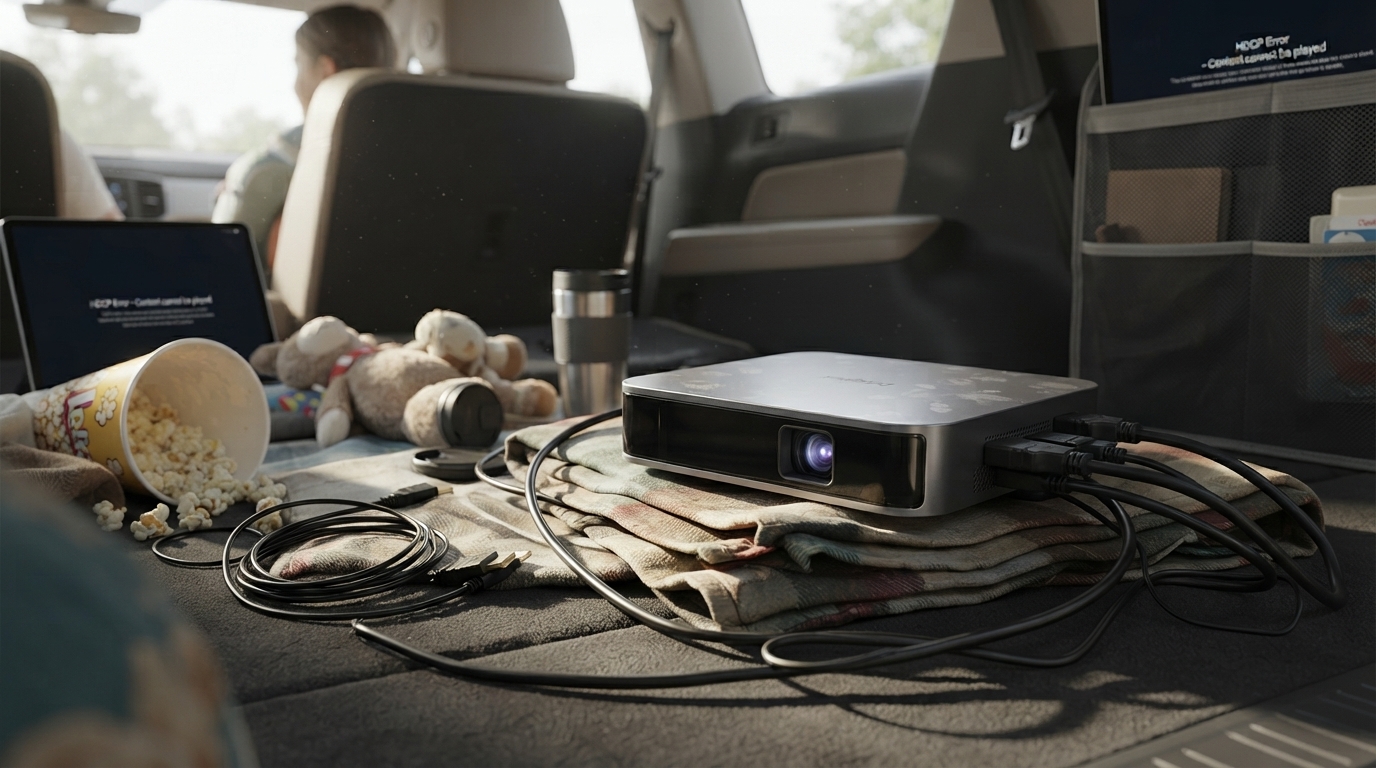
Why won’t my projector let me watch movies?
When a projector won’t play movies, it’s usually not the projector “blocking” you—it’s a compatibility or protection issue between the source (phone, laptop, streaming stick, or disc player), the app, and the connection. Start by noting where the movie is coming from (Netflix/Hulu, a downloaded file, a Blu-ray/DVD player, or screen mirroring), because the fix depends on the source.
How to fix it
1) Check the input source and cable
Confirm the projector is set to the correct input (HDMI 1/HDMI 2/USB). If you’re using HDMI, try a different HDMI cable and a different port. Many “black screen” issues come from a loose connection or a cable that can’t handle the signal properly.
2) HDCP copy protection is blocking playback
Most streaming services require HDCP (copy protection) over HDMI. If you’re using an older adapter, splitter, capture device, or cheap HDMI switch, the stream may fail and show a blank screen or an error. Plug your streaming stick directly into the projector’s HDMI port (or directly into the projector’s HDMI input via a known-good cable) and remove intermediate devices.
3) Screen mirroring may not work for protected apps
AirPlay/Miracast casting can be blocked by some apps, even when mirroring works for photos or YouTube. If mirroring shows audio with a black video window, use a streaming stick, the projector’s built-in smart features (if available), or a direct HDMI connection from a laptop.
4) Resolution or refresh-rate mismatch
If the source is outputting 4K or an unsupported refresh rate, the projector may show “No Signal” or a blank image. Set the source to 1080p at 60Hz (or 50Hz depending on region) and try again.
5) Audio/video file format issues (USB playback)
For movies on a USB drive, the file may use a codec your projector can’t decode. Try an MP4 (H.264 video + AAC audio), or play the file from a laptop/streaming device instead.
For a deeper look at setup tips, connectivity, and smart features, see the main guide: https://agathin.com/guide-1100-ansi-mini-1080p-smart-projector-wifi-bluetooth/.
FAQ
Why does my projector show a black screen but I can hear sound?
This is commonly caused by HDCP restrictions or a blocked video stream during screen mirroring. Try connecting the source directly via HDMI, removing switches/splitters, and using a streaming stick instead of mirroring.













Leave a comment