


Smart Bedside Tables: Wireless Charging Explained
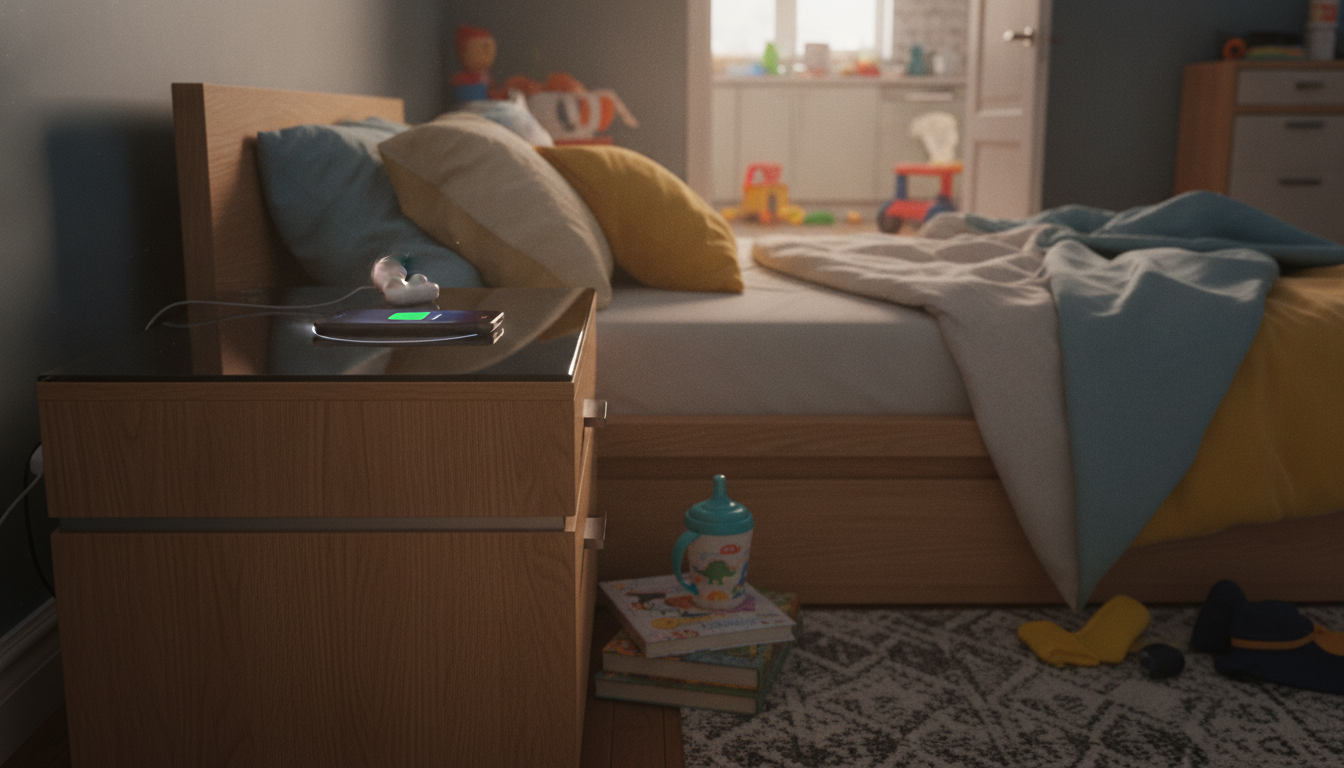
Do smart bedside tables have wireless charging?
Many smart bedside tables do have wireless charging, but it isn’t universal. Some models include a built-in Qi charging pad on the top surface, while others rely on plug-in wireless chargers you add yourself. Before buying, check whether wireless charging is listed as an integrated feature (not just “charging”) and confirm the supported standard—most use Qi for phones and earbuds.
How wireless charging is typically built in
On smart nightstands that include wireless charging, the charging coil is usually mounted under a marked section of the tabletop. You place your phone on that spot and it charges without a cable. The best designs keep the surface flush and stable so the phone doesn’t slide off alignment during the night.
What “wireless charging” may actually mean on product pages
Some listings use “wireless” loosely to describe a clutter-free setup, even when the table only provides USB ports or AC outlets. If the specs mention “Qi,” “wireless charging pad,” or “10W/15W charging,” that’s a strong indicator it’s truly wireless. If it only lists “USB-A/USB-C ports” or “power strip,” it’s cable charging, not wireless.
Common limitations to know before you rely on it nightly
Wireless charging can be sensitive to placement and phone cases. Thick cases, metal attachments, or magnetic wallets can reduce charging speed or stop charging entirely. Also, many built-in pads charge at a moderate rate—fine for overnight, but not always the fastest option if your battery is low at bedtime.
How to choose a smart bedside table that charges cleanly
Look for a nightstand that combines the charging method you prefer (Qi pad, USB-C, or both) with cable management features like rear pass-through holes or concealed trays. For a deeper look at setting up charging, lighting, and clutter control on a smart nightstand, see this smart bedside table setup guide.
FAQ
What should I look for in a smart bedside table besides charging?
Prioritize cable management, accessible outlets/USB ports, and a surface height that fits your mattress level. If it includes lighting or speakers, check how controls work at night and whether you can dim or disable features easily.













Leave a comment